
Learn Japanese
by Typing.
Chatto teaches kana recognition and keyboard typing together. Learn to read kana and type it on a real Japanese keyboard, all in one app.

Most apps stop at recognition.
Chatto doesn't.
Most apps teach you to recognize kana, but stop there. Chatto also has you type on a real Japanese keyboard, so both skills grow together.
Build Recognition First
See a kana character. Pick the correct reading from four options. Wrong answers are chosen from visually similar characters so you learn the real differences, not just luck or process of elimination.
- Multiple-choice flashcards
- Bidirectional: kana → romaji and romaji → kana
- Smart distractors: あ/お, シ/ツ, ソ/ン
- SRS weighting within each session
Type Like You Text
Sensei prompts you with a romaji reading. You type the kana on your actual Japanese keyboard, same as you would texting someone in Japan. Exact match, no shortcuts.
- iMessage-style conversation UI
- Real Japanese keyboard required
- Hints after 8 seconds, no penalty
- Response-time records ⚡
Your sensei is waiting.
Type your answer.
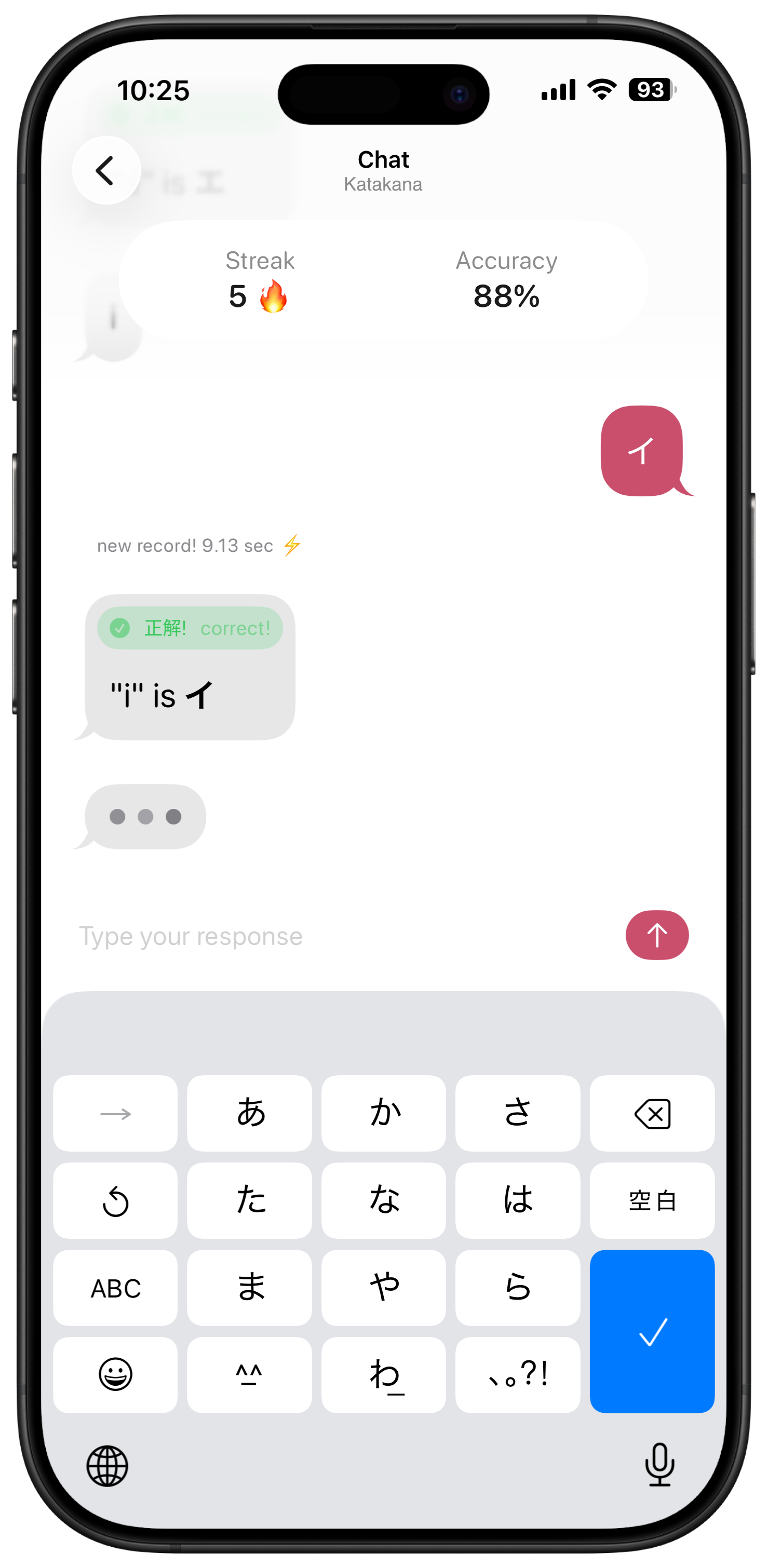
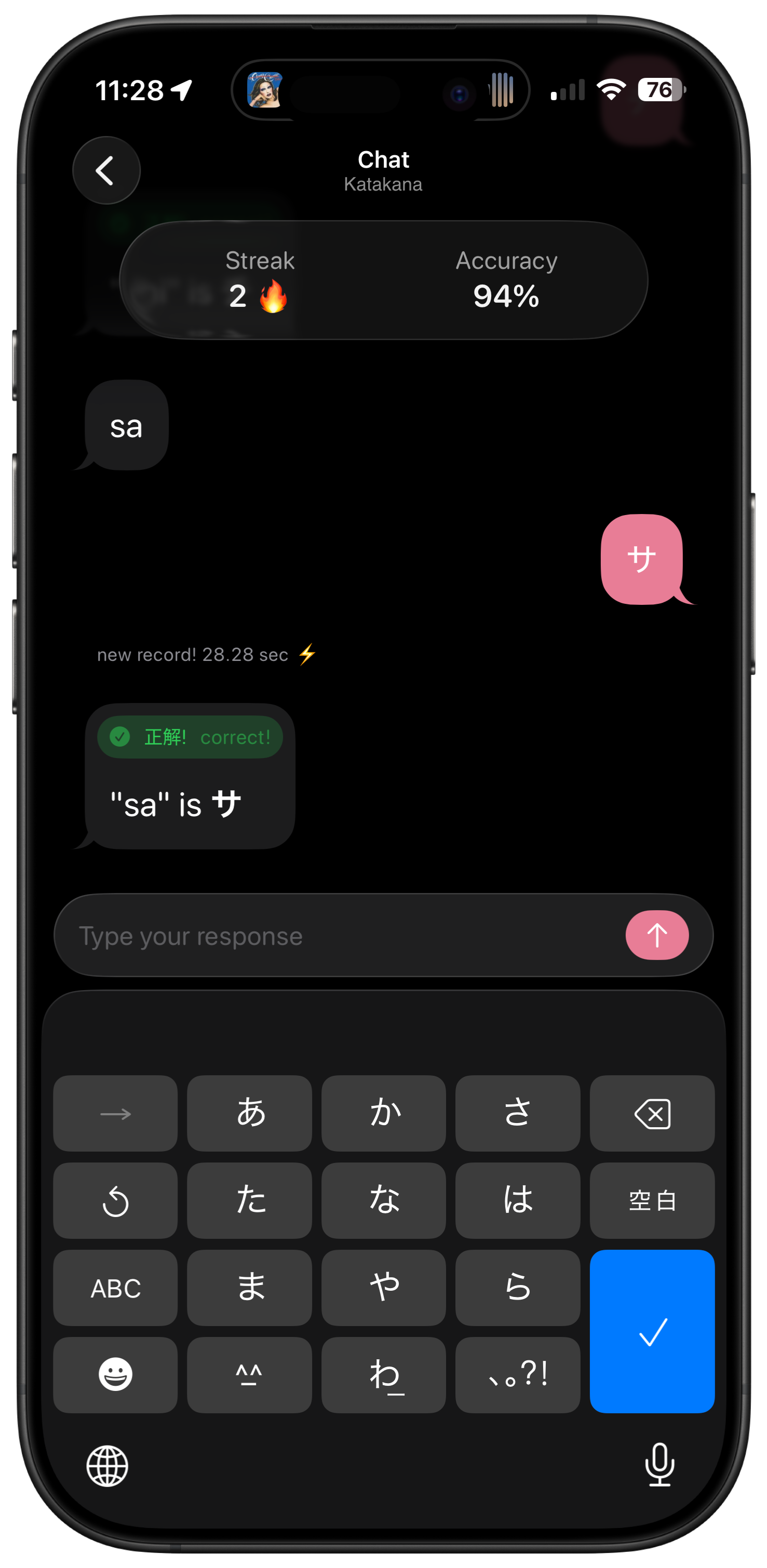
Chatto's chat screen looks and feels like iMessage, so typing Japanese feels more like texting than studying. Sensei sends you a romaji prompt, you type the kana, and the conversation keeps going.
Prompts come in as messages, and your answers go right back, with the rhythm of a real conversation.
A floating stats bar keeps track of your streak, accuracy, and progress, updating after every answer.
Beat your best time on any character and it surfaces inline: “New Record! 4.41 sec”
If you're stuck for 8 seconds, a hint appears with no penalty. Learning the character is the point, not struggling through it.
Recognition before production.
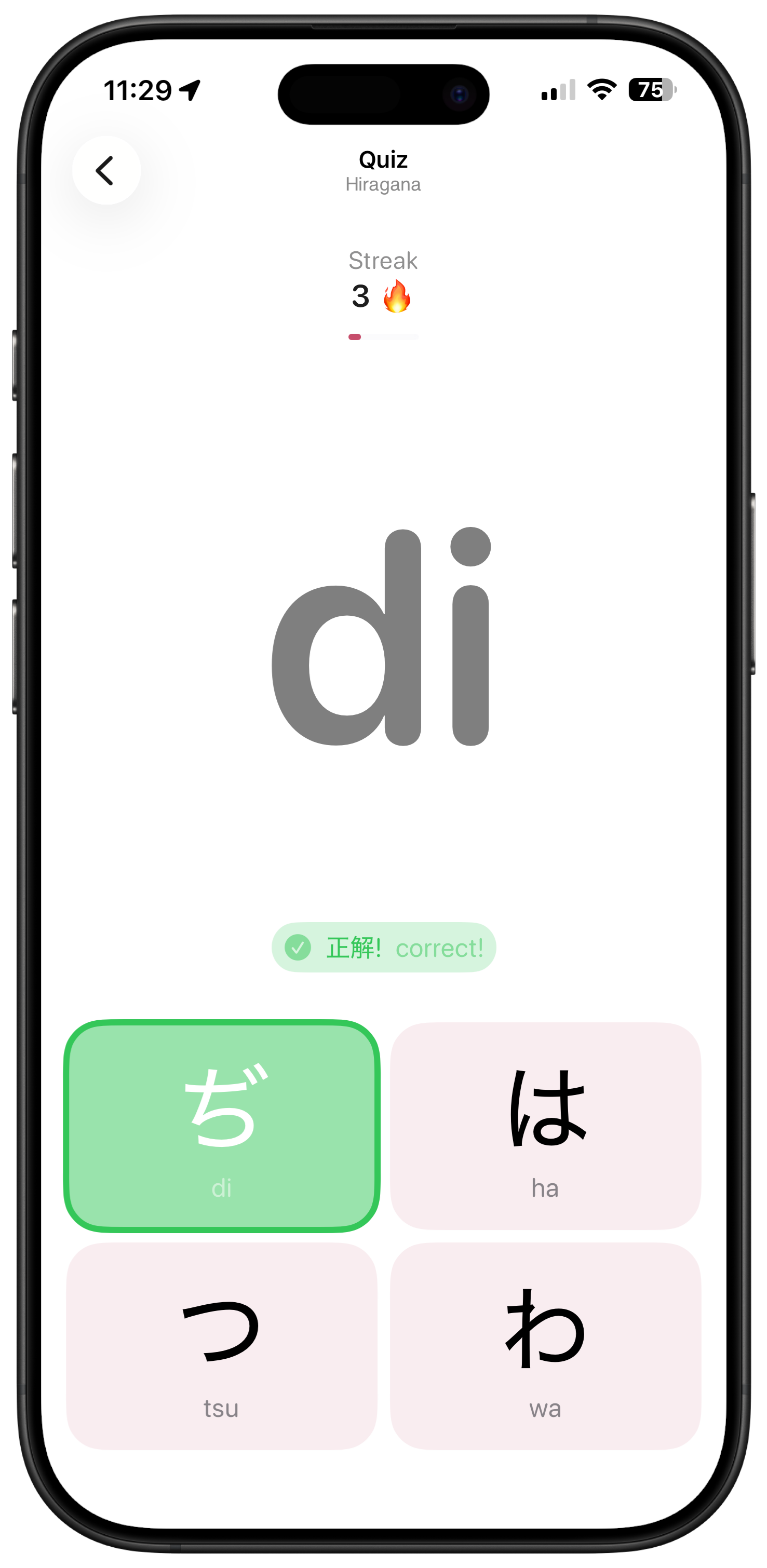
Before you can type a character, you need to know it. Quiz mode builds that foundation with multiple-choice flashcards. The wrong answers are chosen from visually similar characters, so you have to really look.
Distractors are visually similar characters. You have to look closely.
These are the ones that trip most people up, and Chatto makes sure you get them sorted.
正解!· sekai · correct! ちがう · chigau · wrong
46 characters.
Then 25 more.
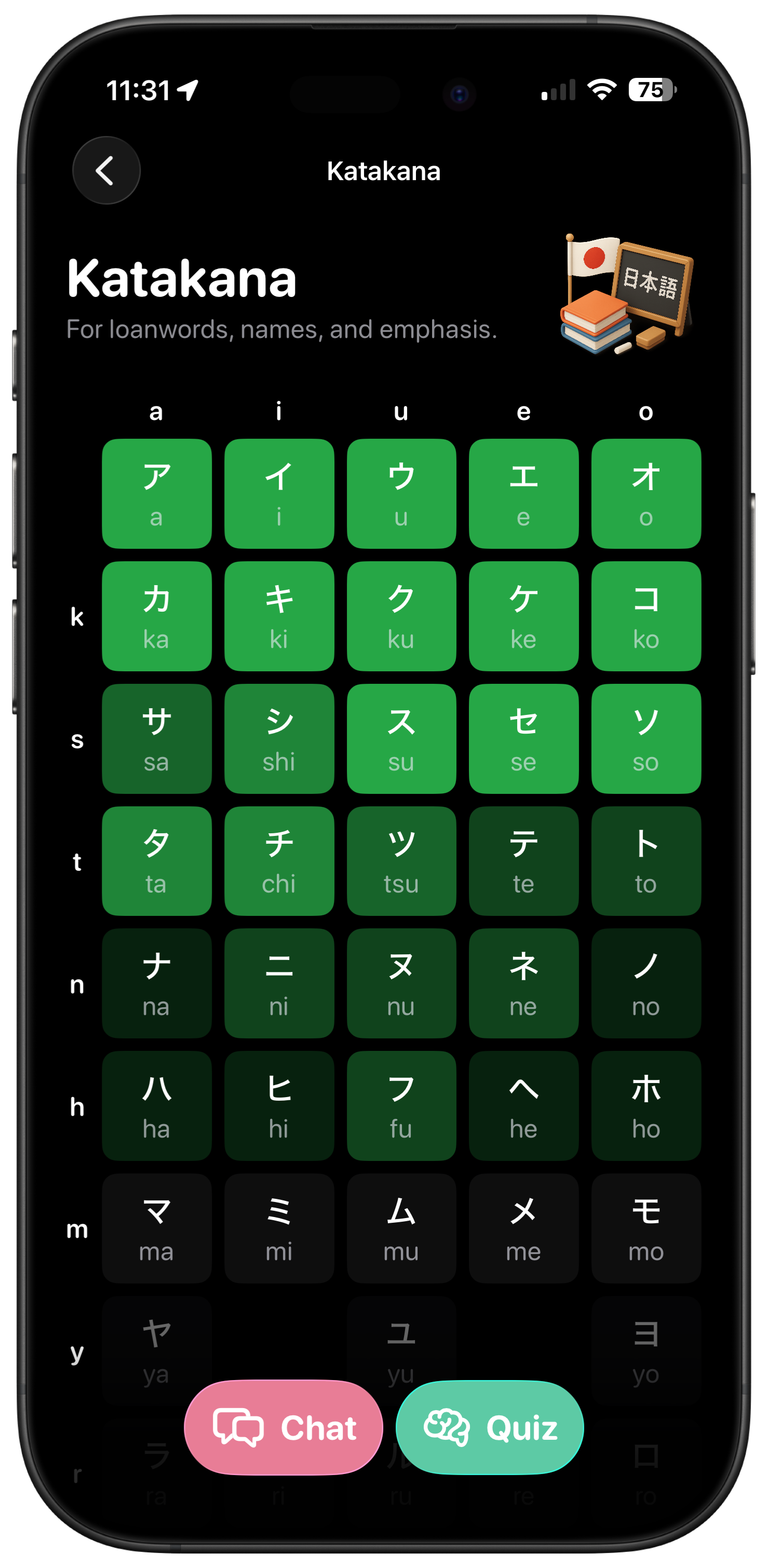
Start with the 46 base hiragana. As your accuracy climbs, the voiced voiced dakuten characters like が, ざ, だ, and ば start unlocking too, and your deck keeps growing from there. Both modes count toward your progress.
はじめましょう · let's begin
Ready to practice?
Free on the App Store. No subscription. No daily streaks to maintain. Just you, the characters, and the keyboard.
All lessons are free, and if you want to support development, there's a tip jar inside the app.